Select Page
Versus II Update

Versus II Update

Hi, here is the list of remaining work sequences/shots for the movie + some screen captures. You’ll be smiling as soon as you’ll see colour in the last column....
Personal training

Personal training

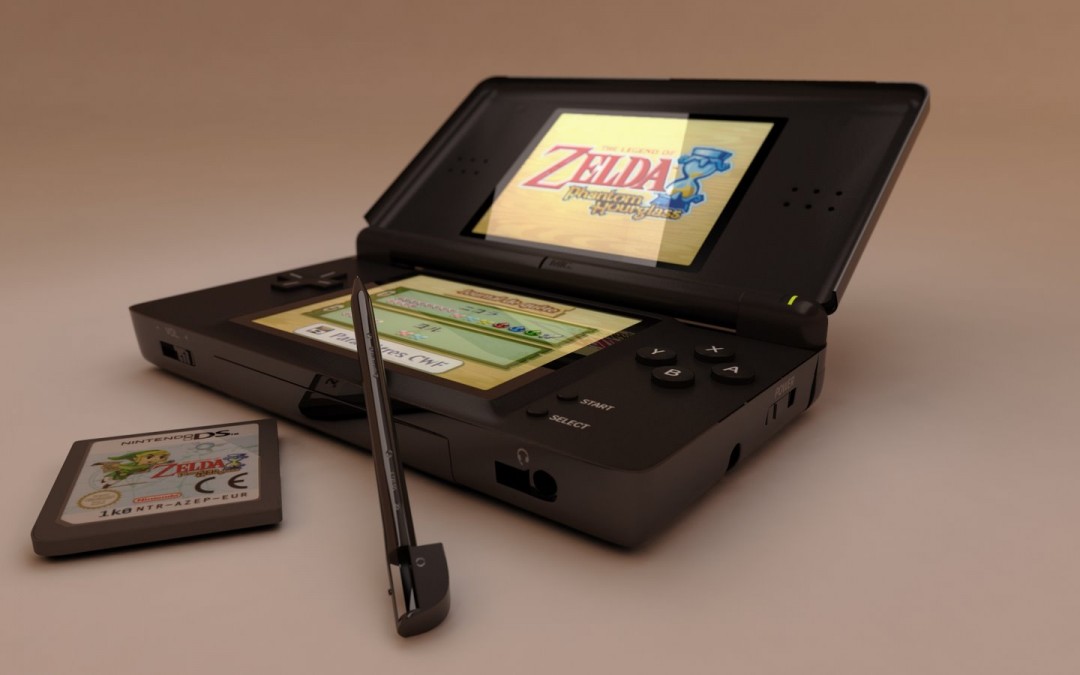
“Every week end” a new 3D object to improve my modeling skills, I started with a very simple object last week, my favourite marker, and today I’ve achieved my DS lite....
Versus II WIP (for geeks :-P )

Versus II WIP (for geeks :-P )

Some images from light research, breakdance rendering test and what it looks like to be in a LAAT (used for environment reflection) :...

VERSUS II – WIP Animation

3d data points from Movimento (tracking from 4 cameras) > imported in 3dsmax, character rig linked to them. The result here is not really good (bad skin deformation) but it’s for a character in a crowd who will be faaaaar away from the camera, so I...
CG Rain tutorial – After effects

CG Rain tutorial – After effects

Hi, here is a tutorial for a visual effect I’m improving for Versus II. Now… How to do this? Two methods: The first: shoot with your camera under real rain (more realistic render) The second: Add CG rain in after effects, 1/ Shooting Actors, or whatever...
Realistic 3D wave animation without simulation

Realistic 3D wave animation without simulation

This is a method to create realistic waves in 3dsmax without plugins or reactor simulation, using After effects. The result: 1/ In After effects create a comp (any size you want, I made a square 400/400, 29 seconds) > new layer, then > effects > simulation...
Versus II – Evolution of visual effects

Versus II – Evolution of visual effects

Yes! Some shots you’ve seen in teasers (a lot) and trailer (a few) were temporary. Evolution of the clones, the biggest improvement in the film’s CG! Because I started modelling clones from the episode 2 and adjust the helmet with too few references to...
Versus II – WIP

Versus II – WIP

Hello everybody, by requests, here is a shot from the trailer decomposed to show all the layers that were used. This one was not really a difficult shot (exept for the clone who plunges ) : – Static, – No interaction with real poeple, – Only two...
Cheap 3D grass (3dsmax – photoshop)

Cheap 3D grass (3dsmax – photoshop)

Here is a simple method I use to add CG grass in Versus II background shots. 1/ Feed your scanner 2/ Edit alpha et diffuse map 3/ Apply map on a plan converted to editable poly, move some vertex, move the point of pivot at the bottom of the plan 4/ Distribute plans...

Pin It on Pinterest